 FH Match Centre
Seamless, Intuitive
Track a match on the watch app, check on the phone app, share on the website.
- Works with no signal
- No ads, no tracking
- Free while in testing
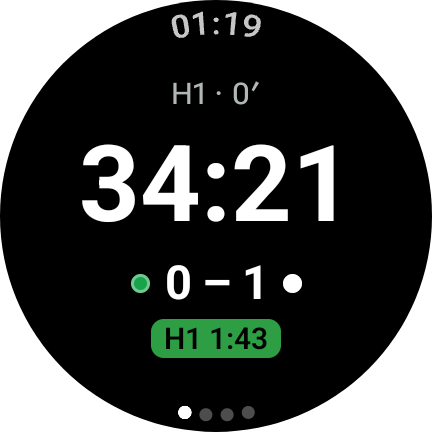
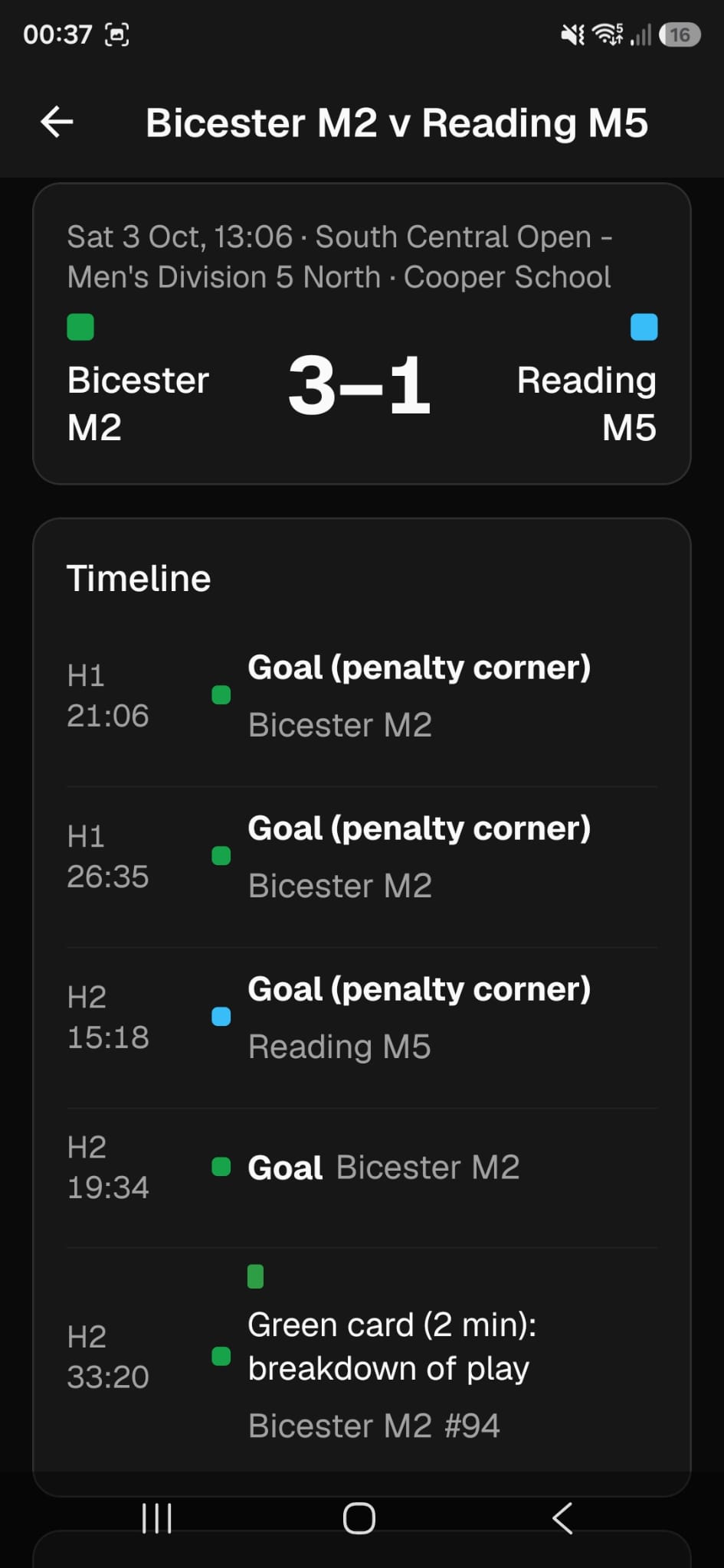
Take the stress out of game management
Built for the umpire
Everything you need during a match, on the watch you already wear. Nothing you don't.
Timing
Quarters or halves, any length, with breaks.
Side button
Press the watch's side button to stop and restart the clock, without looking. (Works on Galaxy Watch 4 and later)
Cards
Green, yellow and red cards with the player's number. Haptic feedback on card end.
Haptics
Distinct vibrations for two minutes and one minute left in each period, time up, a suspension ending and the end of a break.
Sharing
Send a match summary through airdrop, normal sharing or export to pdf/csv/json.
How it works
Watch, phone, website
- 01
Robust Management
Track timing, goals and cards. Even includes shootout!
- 02
Mobile App
Completed matches sync to your phone. Fix any mistakes, add additional data, and share/export.
- 03
Publish it
Upload the match, publish, and share it by link or QR code.
From umpires
What the testers say
A small group of umpires is using it on real matches.
What they say will appear here as they're happy to be quoted. If you're testing it, tell us how it went.
Download
Get the app
Join the stage that's open now, or check back as the next one opens.
Beta
Open nowEverything the alpha does, and then your account: upload a match, correct it, publish the result and share it by link or QR code. Apple Watch and iPhone join through TestFlight.
Who: Invited umpires, on Android and Wear OS or on iPhone and Apple Watch. Ask to join, then install from Google Play or TestFlight, or install the APKs directly.
How to install the APKs
Install both from here, or both from Google Play, not one of each: the watch only talks to a phone app from the same place. To switch, uninstall both first.
Phone
- On your Android phone, tap Phone app (APK).
- Open the downloaded file. If asked, allow your browser to install apps.
Watch
A watch can't download apps from a web page, so the watch app goes on from a computer:
- On the watch: Settings → About watch → Software information → tap Software version five times to turn on developer options. In Developer options, turn on ADB debugging and Wireless debugging (Debug over Wi-Fi on older watches). Keep the watch on the same Wi-Fi as the computer.
- On a computer with Android platform tools, download Watch app (APK). On newer watches, tap Pair new device under Wireless debugging and run
adb pair <address> <code>with what it shows. Then runadb connect <address>with the address shown under Wireless debugging (accept the prompt on the watch), andadb install <the APK file>. - Turn ADB debugging off again afterwards: it uses battery.
Public Release
The finished apps and website for everyone: no invitation, published results for players and clubs, and club pages kept up to date by the clubs themselves.
Who: Every umpire and club.
Needs a Wear OS 3 watch or later (Samsung Galaxy Watch 4 and newer, Google Pixel Watch) with an Android phone. Apple Watch and iPhone are in testing through TestFlight, and arrive for everyone in 1.0.
Join the testing
Ask for a place in the beta
Tell us what you umpire with and the invitation follows by email. Places are limited while it's in testing.
Questions
Before you start
What do I need to use it?
A Wear OS 3 watch or later (Samsung Galaxy Watch 4 and newer, or a Google Pixel Watch) with an Android phone. The Apple Watch app needs watchOS 10 (Series 4 and newer) with an iPhone, and is in testing through TestFlight.
Does it need a signal at the ground?
No. The watch runs the whole match offline, and the finished match moves to your phone over the watch's own connection to it. Nothing is uploaded unless you ask, and if there's no signal it goes as soon as there is.
What does it cost?
Nothing to take part in the testing, and nothing to pay for the apps while they're in it.
My watch's buttons don't work with apps. Can I still use it?
Yes. Turn on Start/stop on screen in the watch app's settings and the Timing page gets its own button, which is how a Pixel Watch is used. On an Apple Watch the button is always on screen, and a double-tap presses it on a Series 9, Ultra 2 or later.
Who can see the matches I record?
They stay on your watch and your phone until you upload one. An uploaded match is a draft that only you and your fellow umpire can see; it becomes public when you publish it, and you can share it with a link or a QR code. There's no advertising and no tracking.
Is this an official England Hockey or FIH app?
No. It's an independent project, built with umpires. It follows the FIH rules for cards and suspensions, and the red card report is laid out so you can copy it into England Hockey's own form.
How do I follow what's being built?
The project board on GitHub shows what's in progress and what's next, the repository has every change, and the documentation covers each app in detail. All three are linked from this page.
Something else? Support has the ways to get help.
Try it on your next match
The beta is open to umpires now. It takes a watch, a phone and about five minutes to set up.